Skip to Content
Reporting in Odoo, finally built for the people who use Odoo

Pro Version

Report Writer for OdooReport Writer for Odoo
 Download FREE version  
 Download Community Library  
Download PRO version


Screenshots

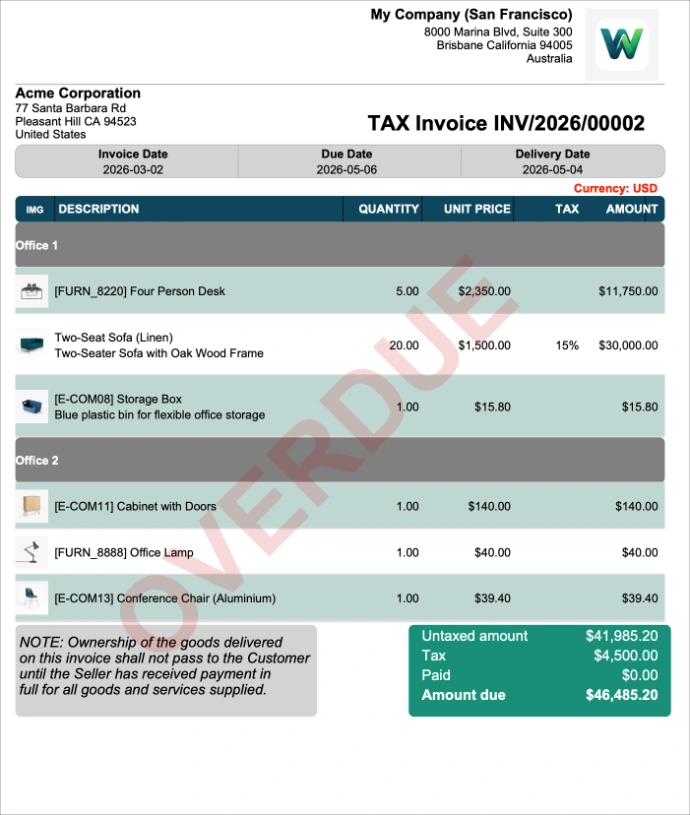
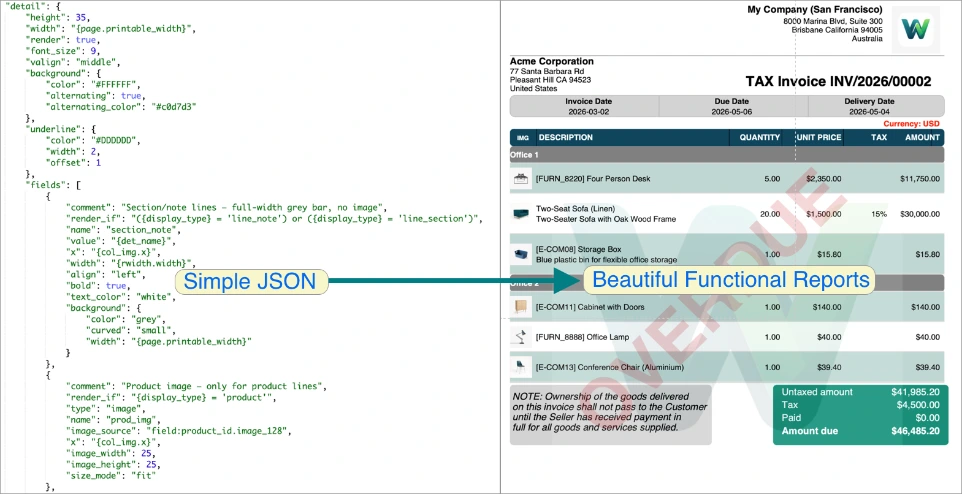
Images - Add images like logos, product images and watermarks

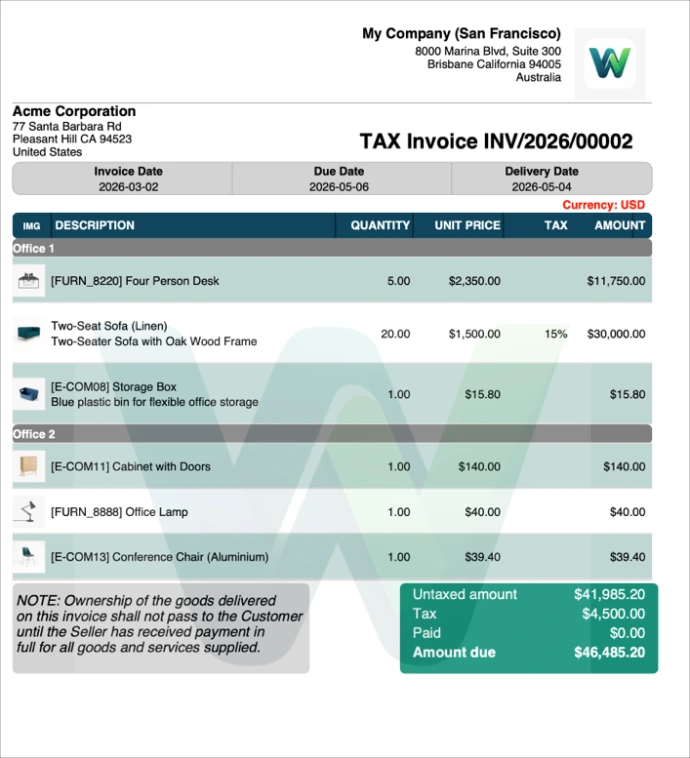
Images - Add high resolution images as watermarks

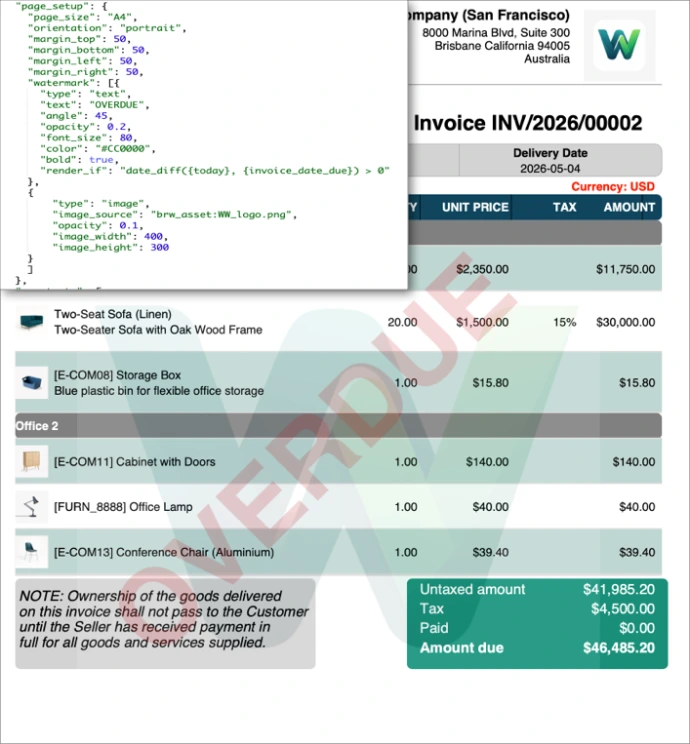
Images - High resolution and test combined as watermarks

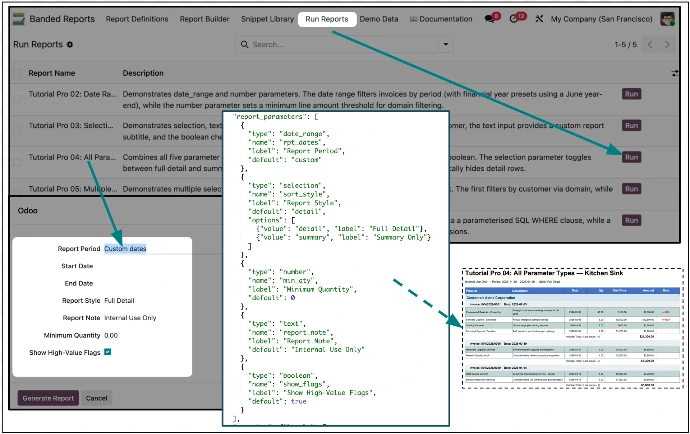
Dynamic Prompted reports - Design reports that prompt for report parameters. Designed for end-users to make it easy for them to product reports. Prompted reports can also be used when reports are assigned to model actions.
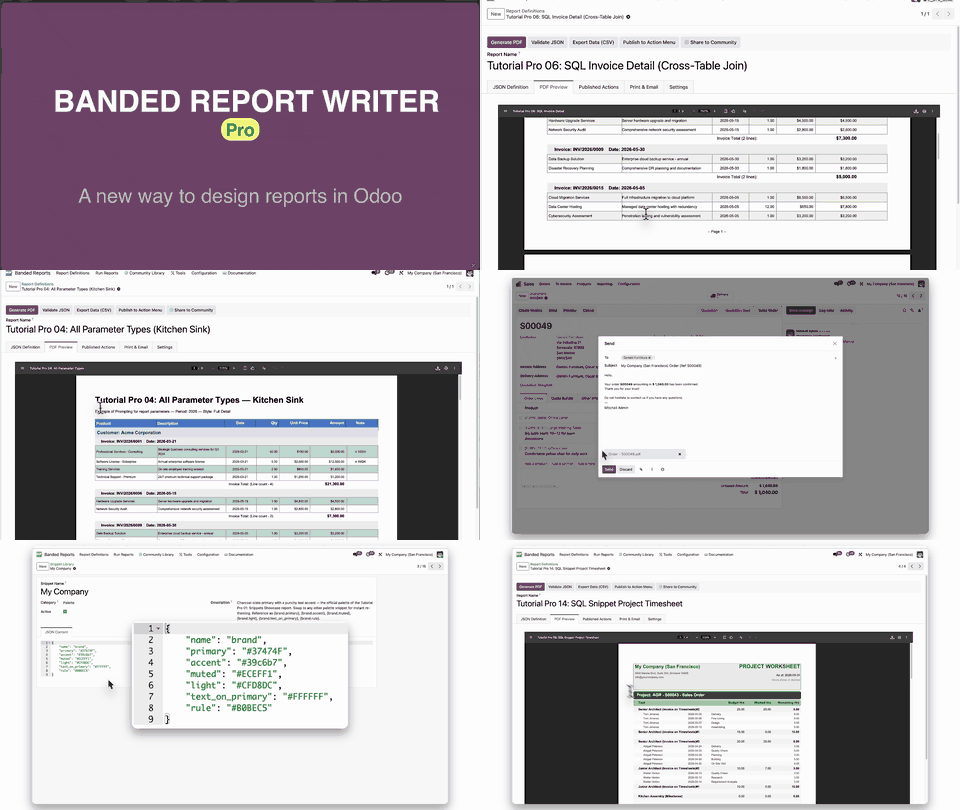
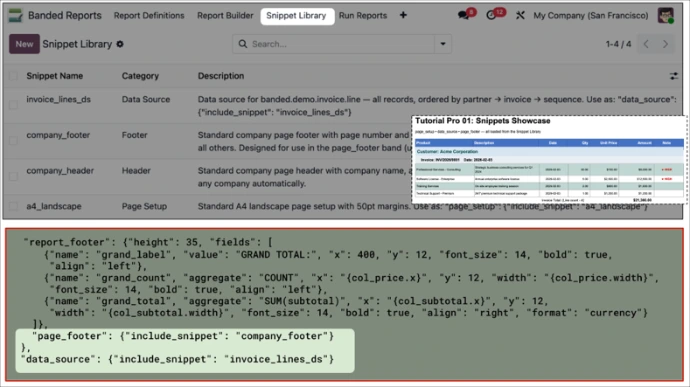
Snippets - for corporate branding and consistency
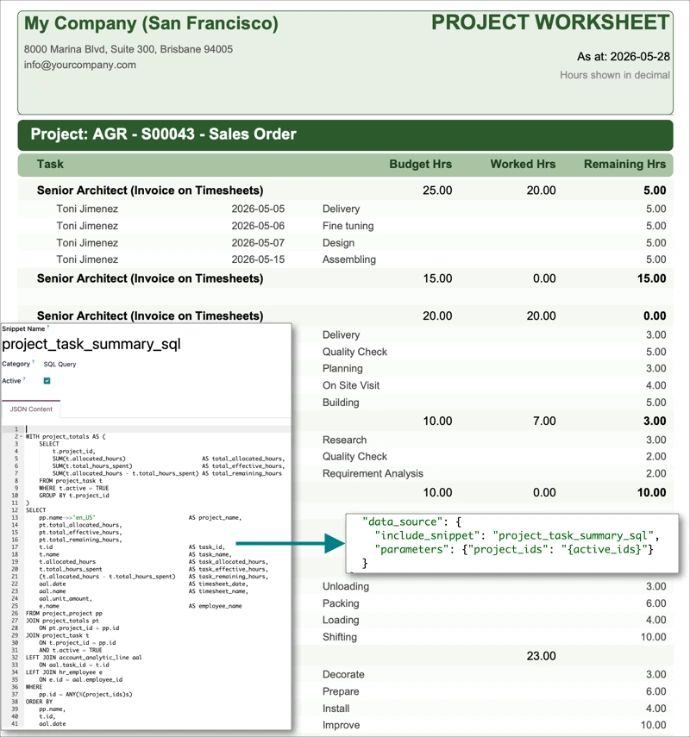
Snippets - are useful for SQL query readability
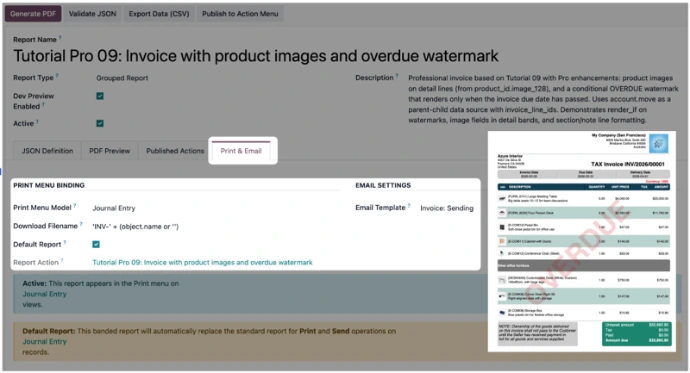
Integrated Print & Send β€” email reports directly from Odoo

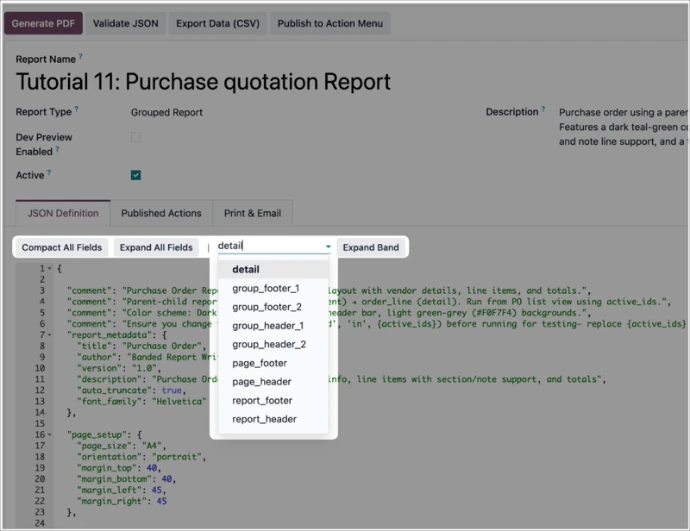
JSON Editor Useability - Ability to collapse and expand sections of the JSON report definitions for easier editing
End-user reporting - #2
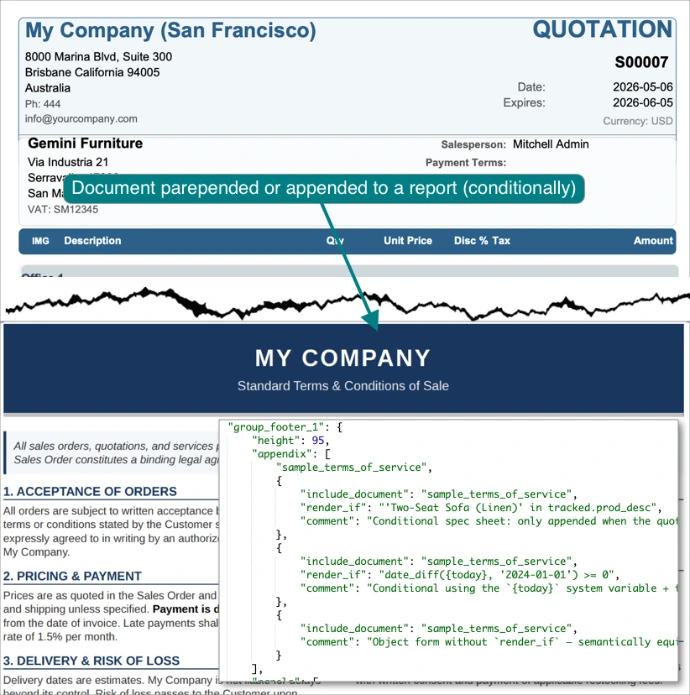
Include PDF documents - Conditionally, prepend and append PDF documents to reports. e.g. Terms of Service document appended to a Sales Order
Automated report writer for SQL reports
Key Features

πŸ›‘ Extended Power for Professional Reports

Pro extends the free Banded Report Writer with the advanced features power users and demanding reporting scenarios need β€” without breaking anything that already works.

Visual Enhancements

πŸ“· Images in Reports

Company logos in headers, product images in detail lines, signatures in footers. Field references, external URLs, and three sizing modes (fit, stretch, original).

πŸ‘ Watermarks

Semi-transparent text or image watermarks on every page. Customise opacity, rotation, font, and colour. Renders on top of all content.

πŸ“š Snippet Libraries

Reusable band definitions β€” create once, include everywhere. Update once, reflect everywhere. Perfect for consistent corporate headers, footers, and branding.

Advanced Functionality

❓ Report Parameters and Prompting at Runtime

Prompt users for input when a report runs. Supports date ranges (25+ presets), dropdowns, text, numbers, and booleans β€” with values flowing directly into report domains. Makes action-launched reports more flexible by letting users choose things like summary vs. detail at run time.

πŸ“Š SQL Data Sources

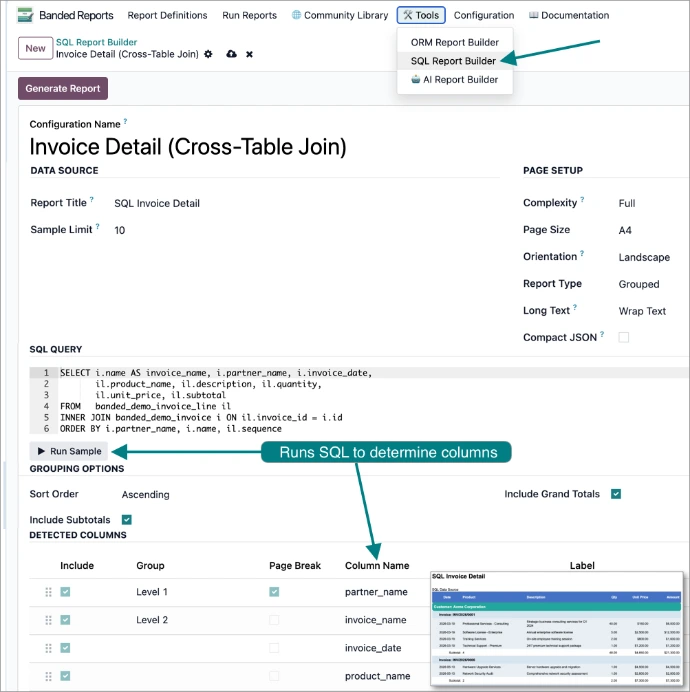
Direct SQL queries for complex data retrieval beyond Odoo’s ORM. Cross-table JOINs, aggregations, and safe parameter binding with %(name)s.

πŸ“§ Print & Send

Bind to Odoo’s Print button. Preview, generate, and email reports directly from the action menu β€” or replace built-in reports entirely.

⏱Server-side generation & email API

Programmatic PDF generation and email delivery via generate_pdf_attachment() and generate_and_email() . Parameter defaults resolve automatically, making reports fully callable from Odoo cron jobs or custom automation β€” ideal for unattended execution and scheduled delivery

πŸ“ Enhanced JSON Editing

Expand or collapse all fields, or just a single band, for clearer editing on large reports. Switch between compact and verbose views in one click.

πŸ”— Run Reports Menu

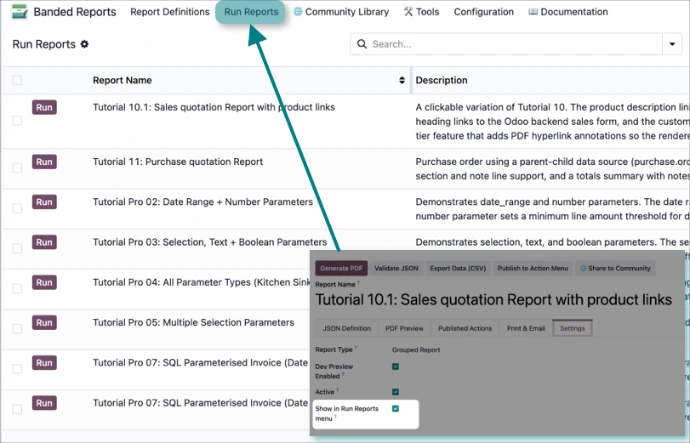
Opt-in quick-access menu surfaces parameterized and non-parameterized reports for end users without needing form-level actions.

Learning & Support

πŸ“š 7 Pro Tutorial Reports

Pro tutorials demonstrating every Pro feature β€” images, watermarks, snippets, parameters, SQL, and scheduling. Ready to run, examine, and adapt.

πŸ“„ Pro User Guide & Schema

Dedicated Pro User Guide and a Pro Schema reference covering every advanced JSON key. Both are accessible from inside Odoo.

❓ Built-in Help (Pro)

All free contextual help, plus Pro-specific guidance for image fields, watermark configuration, snippet authoring, and parameter design.

Connected & Intelligent

🌍 Shared Community Library

Share Pro reports with the community. Pro-only features (images, watermarks, SQL, parameters, snippets) are automatically labelled so importers know what they need.

πŸ€– AI Friendly Report Generator

Pro-aware AI prompt that knows every Pro key and feature β€” generates working JSON for parameterized, image-rich, snippet-based reports on the first try.

πŸ’¬ AI Friendly Support Agent

Pro-aware AI prompt for instant support across the whole feature surface, including watermark, parameter, and Print & Send troubleshooting.

πŸ™‹ Human Support

Priority human support for Pro license holders. Email brw_support@wilsonworks.com.au.

πŸ”— All Pro Features Work Together

Combine images with watermarks, use snippets with parameters, schedule SQL-based reports with automatic email delivery. Pro is one coherent reporting solution for enterprise needs.